 Ayah Widget
Common reading plans
| Goal | Pages per day | After each prayer |
|---|---|---|
| 1 khatm in 30 days (Ramadan) | about 20 | about 4 |
| 2 khatms in 30 days | about 40 | about 8 |
| 1 khatm in 60 days | about 10 | about 2 |
| 1 khatm in 7 days | about 86 | about 17 |
Keep your plan on your iPhone
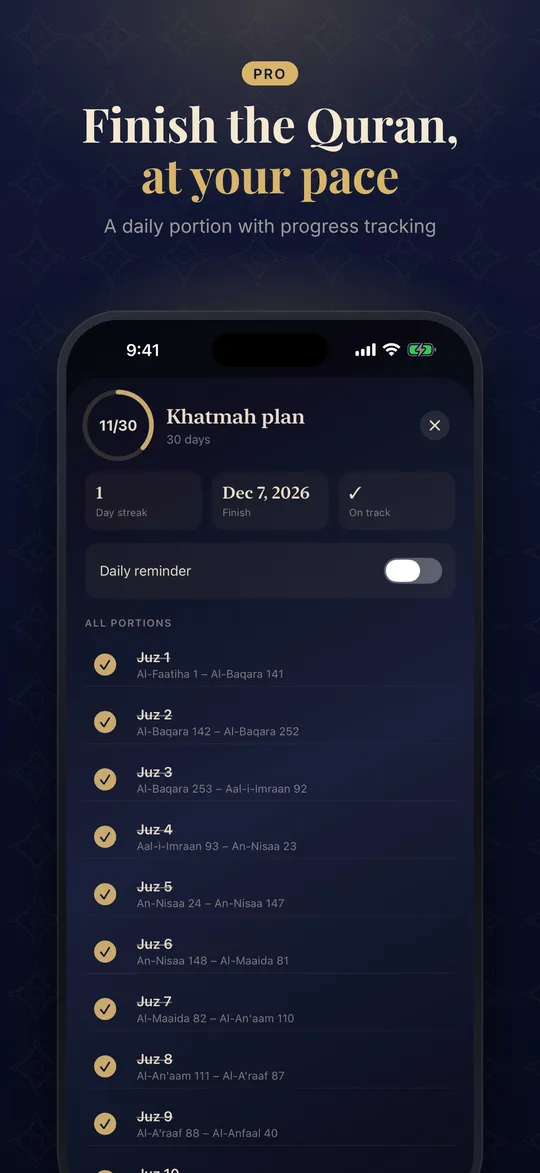
The Khatmah plan in Ayah Widget 2.0 (Pro) turns this plan into a daily habit: it shows today's portion, tracks every juz you finish, keeps your streak and reminds you each day. A Khatmah widget for your Home Screen and Lock Screen shows your progress at a glance.
Tips to stay on track
For a full plan with 8 practical tips, read our guide How to finish the Quran in Ramadan.
- Tie it to prayer. Reading a few pages after each prayer is easier than one long session.
- Read ahead early. The first days of Ramadan are often the easiest; a few extra pages then give you room later.
- Keep a streak. Seeing your progress every day helps you keep going.
Khatm planner questions
How many pages a day to finish the Quran in Ramadan?
The standard Madani Mushaf has 604 pages. To finish in 30 days, read about 20 pages a day, which is about 4 pages after each of the five daily prayers. That is roughly one juz per day.
How many pages to finish the Quran twice in Ramadan?
About 40 pages a day for two completions in 30 days, or about 8 pages after each prayer.
My Mushaf has a different number of pages. Does this still work?
The planner uses the 604-page Madani Mushaf, the most common print. Other editions, such as some 15-line or Indo-Pak prints, have a different page count, so treat the page numbers as a guide and keep the same pages-per-day pace.
Can I start in the middle of the Quran?
Yes. Enter the page you are on as the start page, and the plan covers the remaining pages.