 Ayah Widget
Your iPhone has no built-in prayer times, so to hear the adhan you need an app that schedules a notification for each prayer. This guide shows how to set it up in a few minutes, and how to fix the most common problem: the adhan time arrives, but you hear nothing.
فَإِذَا قَضَيْتُمُ الصَّلَاةَ فَاذْكُرُوا اللَّهَ قِيَامًا وَقُعُودًا وَعَلَىٰ جُنُوبِكُمْ ۚ فَإِذَا اطْمَأْنَنْتُمْ فَأَقِيمُوا الصَّلَاةَ ۚ إِنَّ الصَّلَاةَ كَانَتْ عَلَى الْمُؤْمِنِينَ كِتَابًا مَوْقُوتًا
When ye have performed the act of worship, remember Allah, standing, sitting and reclining. And when ye are in safety, observe proper worship. Worship at fixed times hath been enjoined on the believers
Step 1: Install a prayer times app and set your city
- Install Ayah Widget and open it.
- In the prayer settings, choose your city. More than 60 cities are included.
- Choose the calculation method used in your country or by your local mosque. Fajr and Isha can differ by several minutes between methods, so this step matters.
Step 2: Turn on prayer notifications
- In the app, turn on prayer notifications.
- When iOS asks for permission, tap Allow.
- Choose the notification sound. The standard iPhone sound is free; with Ayah Widget Pro you can pick one of five adhan recordings (Makkah, Madinah, Al-Aqsa, Mishary Alafasy and Turkish).
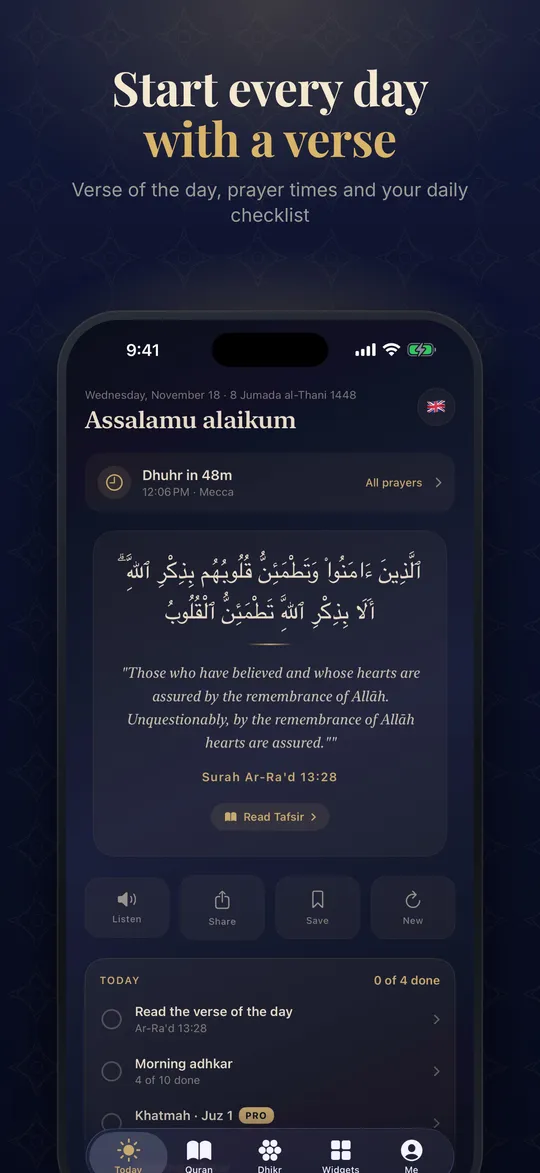
Step 3: Check the iPhone notification settings
If you tapped "Don't Allow" by mistake, or the adhan never sounds, check these settings:
- Open Settings → Notifications and tap Ayah Widget.
- Turn on Allow Notifications.
- Make sure Sounds is on.
- Under Alerts, keep Lock Screen and Banners selected, so you also see the prayer name.
The adhan doesn't play? 5 fixes
1. Silent mode is on
In Silent mode, iPhone mutes notification sounds and only vibrates. Turn it off with the Ring/Silent switch on the side, or with the Action button on newer iPhones.
2. A Focus or Do Not Disturb is on
Go to Settings → Focus, choose the Focus you use (Do Not Disturb, Sleep, Work…), tap Apps and add Ayah Widget to the allowed apps. The adhan can then reach you even when other notifications are silenced.
3. The alert volume is low
Notification sounds follow the ringtone volume, not the media volume. Go to Settings → Sounds & Haptics and raise Ringtone and Alerts.
4. The app is in your Scheduled Summary
Apps in the Scheduled Summary deliver their notifications later, in a group. Go to Settings → Notifications → Scheduled Summary and make sure Ayah Widget is not in the list.
5. The times look wrong
Check that your city is right, especially after travelling, and compare the times with your mosque's timetable. If they differ, try another calculation method.
Why does the adhan stop after 30 seconds?
This is an iOS rule, not a bug: the sound of an app notification can last at most 30 seconds. Prayer apps on iPhone therefore play a shortened adhan, or the beginning of the full recording, when the notification arrives.
In Ayah Widget Pro, each of the five adhan recordings lasts about 25 seconds, so it fits within this limit.
See the next prayer without waiting for the adhan
Ayah Widget also puts a live countdown to the next prayer on your Lock Screen, so you always know how long is left. Follow our guide: How to add prayer times to your iPhone Lock Screen.
Related
Questions
Does the iPhone have a built-in adhan?
No. iOS has no built-in prayer times or adhan, so you need a prayer times app that schedules a notification for each prayer and plays an adhan sound.
Why doesn't the adhan play when my iPhone is on silent?
In Silent mode, iPhone mutes all notification sounds and only vibrates. Turn Silent mode off with the Ring/Silent switch or the Action button, and raise the Ringtone and Alerts volume in Settings, Sounds & Haptics.
Why does the adhan stop after about 30 seconds?
iOS limits the sound of an app notification to 30 seconds. Prayer apps on iPhone therefore play a shortened adhan, or the beginning of the full recording, in the notification.
Will the adhan play when Do Not Disturb or a Focus is on?
Not unless you allow it. Go to Settings, Focus, choose the Focus (for example Do Not Disturb or Sleep), tap Apps and add your prayer app to the allowed apps.
Can I change the adhan sound?
Yes. In Ayah Widget, prayer notifications use the standard iPhone sound for free. With Ayah Widget Pro you can choose one of five adhan recordings: Makkah, Madinah, Al-Aqsa, Mishary Alafasy and Turkish. Each plays for about 25 seconds.